Logo
Logo

Apr 12, 2026

SQE1 Feeling a Bit Much? This Free Subject Tracker Can Change the Game

Read Time

4 Mins

Category

Study Strategy

The SQE2 Notion Template: A Skills-First Workspace for the Practical Stage of the SQE

If you're currently preparing for the SQE1 exam, you probably know the feeling: multiple subjects to juggle, hundreds of topics to revise, and that constant buzz of “Am I doing enough?” echoing in your mind.

You’re not alone and more importantly, you’re not stuck.

We built something to help: a free, practical, ready-to-use SQE1 Subject Tracker, made especially for sqe students and aspiring solicitors. Whether you're deep in the revision trenches or still figuring out where to begin, this tool was designed to bring you something simple and powerful: clarity.

What Is the SQE1 Subject Tracker?

Let’s start with what it’s not. It’s not a boring spreadsheet. It’s not another “study hack” video. And it’s definitely not a PDF you download and forget.

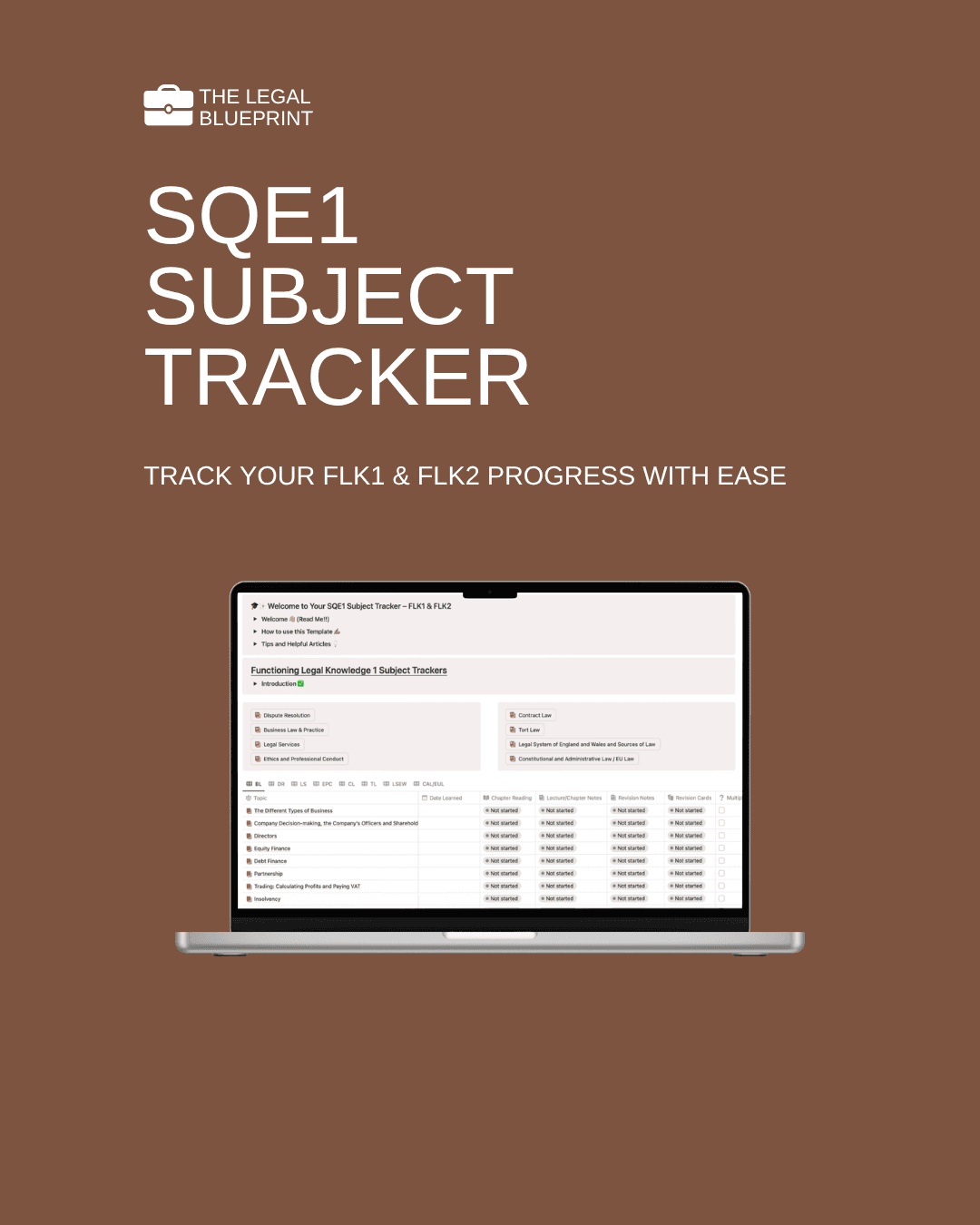
This is a fully interactive Notion-based template—a study system that helps you track every topic in FLK1 and FLK2 with precision. It shows you what you’ve covered, what’s left, and how you’re progressing overall. Think of it like your personal dashboard for SQE1 prep. Calm. Organised. Always ready to go.

Why We Created It

We’ve been there. Studying for SQE1 isn’t just about absorbing legal knowledge, it’s about managing time, planning smart, and keeping your head in the game.

At The Legal Blueprint, we speak to so many students who feel overwhelmed not because they’re unprepared, but because their study process lacks structure. The tracker is our answer to that. It’s our way of giving you back a sense of direction, without overcomplicating things.

What’s Inside the Tracker?

The SQE1 Subject Tracker is split into two major areas:

1. FLK1 & FLK2 Dashboards

Your home page includes two clean, easy-to-use dashboards, one for Functioning Legal Knowledge 1 (FLK1) and one for FLK2. These aren’t just checklists, they’re smartly connected to deeper subject databases that track each topic in detail.

2. Customisable Study Columns

Want to track your chapter readings, summary notes, revision cards, mind maps, or MCQs completed? You can. And you can also tweak, remove, or add columns depending on how you study.

3. Progress Status Tags

You can update each topic with a status tag, Not Started, In Progress, or Completed. It's your visual progress bar, and yes, it’s very satisfying when things go green.

4. Fully Linked Views

Everything syncs. Update your status in one place, and it’s automatically reflected everywhere else. Simple.

What Subjects Are Covered?

Everything the SRA expects you to know for SQE1 is here:

FLK1

  • Contract Law

  • Tort Law

  • Dispute Resolution

  • Business Law and Practice

  • Legal System of England and Wales

  • Constitutional and Administrative Law (and EU Law)

  • Ethics (embedded across topics)

FLK2

  • Property Practice

  • Wills and the Administration of Estates

  • Trusts

  • Land Law

  • Solicitors Accounts

  • Criminal Law and Practice

  • More Ethics (still important!)

What Makes It Actually Useful?

Let’s be honest: most “study resources” are either too vague to be practical or too complicated to be consistent with.

This tracker hits the sweet spot. Here’s what students love about it:

  • It’s visual – You can literally see your revision progress.

  • It’s flexible – Works for any study method. No rigid structure to fight with.

  • It’s clear – No more second-guessing what you’ve done or what’s next.

  • It’s motivating – Every ticked box is a small win. And those wins build momentum.

You don’t have to study perfectly. You just have to keep moving forward. And this tracker helps you do exactly that.

Is It Easy to Use?

Yes—even if you've never used Notion before.

The tracker includes a quick start guide, tips for customising your layout, and suggestions for weekly check-ins. Most students are up and running within 10–15 minutes, and from there, it becomes your revision home base.

Prefer pen and paper? No worries, you can use this as your digital command centre while still keeping handwritten notes on the side.

How Do I Get It?

It’s completely free. No hidden costs. No “limited-time only” download timers.

Just click the link, duplicate the Notion template into your own workspace, and you’re off.

👉 Download the SQE1 Subject Tracker now

Pro Tips for Using It Effectively

To get the most out of the tracker:

  1. Set Weekly Goals

  2. Don’t aim to “revise everything.” Just choose 2–3 subjects or milestones each week and track them.

  3. Use the Tracker Daily (or Weekly)

  4. A quick 5–10 minute review at the end of the day or week helps you stay accountable.

  5. Pair With Practice

  6. Use flashcards, MCQs, or past papers to reinforce what you’re tracking. The tracker helps you stay on schedule—but the magic happens in the practice.

  7. Celebrate Progress

  8. Did you complete a topic? Move that status to “Completed” and give yourself a small reward. (Coffee. TikTok. One guilt-free nap.)


What Students Are Saying

“Simple, clear and impactful!”

“Honestly? I love it. It’s clean, simple, and makes me feel like I’ve got my life together.”

Final Thoughts

Studying for the SQE1 is tough, but it doesn’t have to feel chaotic. With the right systems in place, you can revise with clarity, make meaningful progress, and protect your sanity in the process.

This tracker is more than a tool, it’s a study companion. It’s your space to stay organised, reflect, and build momentum toward passing the SQE1 (and becoming the solicitor you’re working so hard to become).

👉 Click here to access the SQE1 Subject Tracker

No pressure. No payment. Just something we made to help make your journey a little easier. One topic at a time.

You’ve got this.

Related Articles

Related Articles

The SQE1 Notion Template: A Complete Study System for FLK1 and FLK2

Read Article

Category

The SQE1 Notion Template covers all 13 subject areas across FLK1 and FLK2. Here is exactly what is inside and how it works.

The SQE1 Notion Template: A Complete Study System for FLK1 and FLK2

Category

The SQE1 Notion Template covers all 13 subject areas across FLK1 and FLK2. Here is exactly what is inside and how it works.

The SQE1 Notion Template: A Complete Study System for FLK1 and FLK2

Category

The SQE1 Notion Template covers all 13 subject areas across FLK1 and FLK2. Here is exactly what is inside and how it works.

The SQE2 Notion Template: A Skills-First Workspace for the Practical Stage of the SQE

Read Article

Category

The SQE2 Notion Template is built for the skills stage of the SQE — six assessments, five practice areas, one structured workspace. Here is what is inside.

The SQE2 Notion Template: A Skills-First Workspace for the Practical Stage of the SQE

Category

The SQE2 Notion Template is built for the skills stage of the SQE — six assessments, five practice areas, one structured workspace. Here is what is inside.

The SQE2 Notion Template: A Skills-First Workspace for the Practical Stage of the SQE

Category

The SQE2 Notion Template is built for the skills stage of the SQE — six assessments, five practice areas, one structured workspace. Here is what is inside.